Neon Glow 3D Text Effect: A Flexible Design Resource for Creative Projects
What Is the Neon Glow 3D Text Effect?
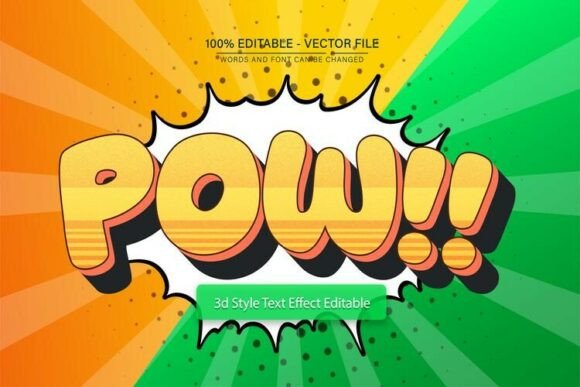
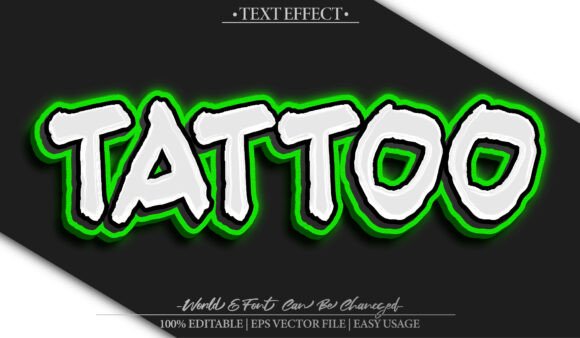
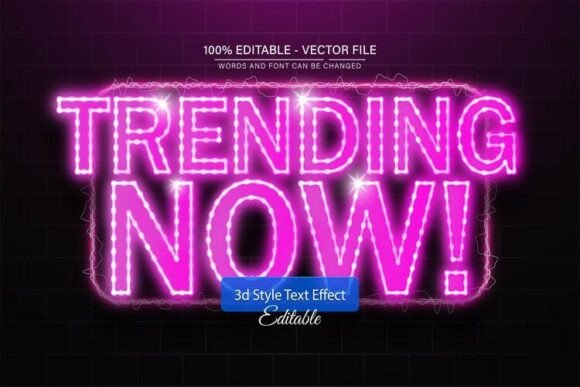
The Neon Glow 3D Text Effect is a design template that allows users to create vibrant, glowing text with a three-dimensional appearance. This design asset is typically distributed as a vector-based file compatible with Adobe Illustrator, making it scalable without loss of quality. It is especially popular among designers looking to add eye-catching typography to digital or print media without starting from scratch.
Available in EPS and JPG formats, this text effect is fully editable. Users can modify the text, adjust colors, and resize the design to fit their specific project needs. The inclusion of free fonts and downloadable assets makes it an accessible option for both experienced and novice designers.
Why Consider the Neon Glow 3D Text Effect?
Designers and content creators may choose this template for several reasons:
- Visual Impact: The glowing 3D effect adds depth and brightness, making it ideal for promotional materials, social media graphics, and event posters.
- Customization: With unlimited color variations and editable text, users can tailor the design to match brand colors or thematic requirements.
- Scalability: As a vector file, it maintains clarity at any size—whether for a mobile app banner or a large billboard.
This design effect is especially useful for projects that require a modern, energetic aesthetic without the need for complex design skills.
Key Benefits of Using This Design Template
One of the standout features of the Neon Glow 3D Text Effect is its ease of use. Users do not need advanced design experience to modify the file. The straightforward editing process involves opening the Illustrator file, selecting the text with the text tool (T), and making the desired changes.
Additional benefits include:
- High-quality output: Vector format ensures no loss of resolution when resizing.
- Time-saving: Eliminates the need to create similar effects manually, which can be time-consuming in graphic design software.
- Cost-effective: Often available at a low price or included in design asset bundles, offering value for money.
Considerations and Potential Limitations
While the Neon Glow 3D Text Effect is versatile, it’s not a one-size-fits-all solution. Users should be aware of certain limitations:
- Software Dependency: Requires Adobe Illustrator CS or higher to make edits. Users without access to this software may find it difficult to customize the design beyond basic use.
- Design Suitability: The neon aesthetic may not align with every brand or project. It works best for modern, tech-themed, or entertainment-related content.
- Font Licensing: While free fonts are usually included, users should verify licensing to ensure compliance, especially for commercial use.
When This Template Excels
The Neon Glow 3D Text Effect is particularly well-suited for:
- Marketing and Promotional Materials: Ideal for event posters, sale banners, and digital ads where attention-grabbing text is essential.
- Social Media Graphics: Enhances headlines and call-to-action elements on platforms like Instagram, Facebook, and YouTube thumbnails.
- Gaming or Tech Branding: Matches the energetic and futuristic visuals commonly associated with these industries.
For users who need a quick, high-impact design that’s easy to edit and visually appealing, this template can be a strong fit.
When Alternatives Might Be Better
There are scenarios where alternative design approaches or templates may be more appropriate:
- Minimalist or Corporate Designs: The neon glow effect may feel too bold or informal for professional or subdued branding materials.
- Non-Adobe Users: If you don’t have Adobe Illustrator or prefer not to use it, other text effects in more accessible formats (like Photoshop or online editors) might be better options.
- Highly Custom Effects: If you need a unique visual style that doesn’t match the provided template, creating a custom effect from scratch or using a different resource may be necessary.
Practical Insights for Decision-Making
Before choosing the Neon Glow 3D Text Effect, consider the following:
- Project Requirements: Does the neon aesthetic align with your overall design goals? If yes, this template can save time and enhance visual appeal.
- Software Access: Ensure you or your team have access to Adobe Illustrator or can work with vector files through alternative software.
- Customization Needs: If you only need minor text adjustments, this template is ideal. For more complex design needs, evaluate whether it offers sufficient flexibility.
- Usage Rights: Always confirm that the template and included fonts are licensed for your intended use, especially for commercial applications.
Conclusion: Is the Neon Glow 3D Text Effect Right for You?
The Neon Glow 3D Text Effect offers a compelling combination of visual appeal, flexibility, and ease of use. It is a valuable resource for designers seeking to incorporate high-impact text into their projects quickly. However, its suitability depends on the specific context of your design goals, available tools, and stylistic preferences.
If your project benefits from a bold, glowing text effect and you have the necessary software to edit it, this template can be a smart and efficient choice. On the other hand, if your needs are more specialized or require a different aesthetic, exploring alternative design resources may yield better results.